
Tempo for Mac · macOS 14+
Keep your Mac in tempo.
A native, featherweight monitor for CPU, memory, storage, network and battery. It lives in your menu bar and opens into beautiful live charts with 30 days of private history.
Take the tour
Beautiful by default
Native SwiftUI, vibrant charts and calm, roomy cards. Tempo looks like it shipped with your Mac.
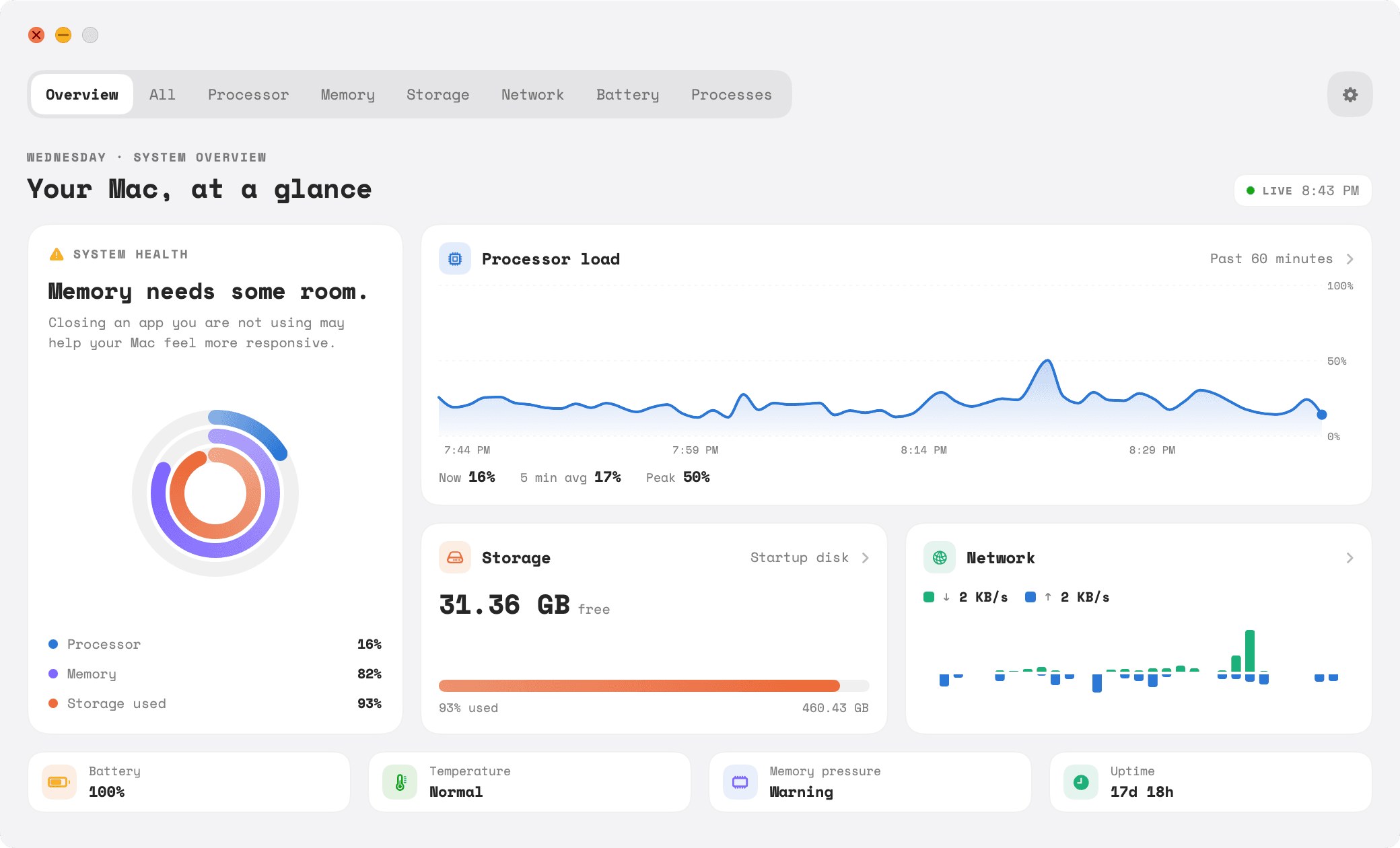
Your Mac, at a glance
Health rings for processor, memory and storage, a live processor chart, and the network in motion.
What's inside
Everything vital. Nothing extra.
Live charts, every two seconds
Line charts for load, mirrored bars for network and disk, rings for health. Each vital has its own color.
30 days of history
Scroll back through 24 hours, 7 days or 30 days, and hover any point to see exactly what happened.
The busiest apps, by name and icon
A focused top-10 process list sorted by CPU, memory or energy, with Quit and Force Quit one click away.
Alerts, not nagging
Set thresholds for CPU, memory pressure, storage and battery. Tempo tells you once, then waits until things recover.
Private by design
No account, no analytics. Your history lives in a local file on your Mac, and Tempo only goes online to check your license.
Featherweight
Native SwiftUI that redraws only what changed and pauses process scanning whenever you aren't looking.

Built to belong on your Mac
Watches your Mac without weighing it down.
~2%
CPU with the window open
~40 MB
memory
0
metrics sent off your Mac
Its icon sits on Apple's macOS grid and the window follows the system's light and dark appearance, so Tempo feels at home next to the apps that came with your Mac.
Launch pricing
Early Macs pay less
One payment, no subscription. The price steps up as launch seats are claimed, so the earlier you are, the less you pay.
Launch
Live now$4.99
For the first 20 people who believe in Tempo.
20 of 20 seats left
Early
$9.99
The next 100 Macs.
Unlocks after seat 20
Standard
$14.99
Regular price once early seats are gone.
After seat 120
- Menu bar vitals with icon, value or both
- Overview, All vitals and detail pages with live charts
- 30 days of private, on-device history
- Top-10 process monitor with app icons
- CPU, memory, storage and battery alerts
- Native SwiftUI for Apple silicon and Intel, macOS 14+
Secure checkout by Dodo Payments
Questions
Good to know
Which Macs does Tempo for Mac run on?
Any Mac running macOS 14 Sonoma or later. Tempo is a native universal app, so it runs on both Apple silicon and Intel Macs.
Will a system monitor slow my Mac down?
Tempo was built to stay out of the way. With its window open it typically uses around 2% of one CPU core and about 40 MB of memory. It pauses the expensive process scan whenever the process list isn't on screen.
Does Tempo send my data anywhere?
Your metrics never leave your Mac. Tempo keeps 30 days of one-minute summaries in a local file. The only time it goes online is to activate and occasionally confirm your license key.
What can I show in the menu bar?
CPU, memory, storage, network, battery or thermal state, shown as an icon, the live value, or both. Click it to open a panel with every vital at a glance.
Does it show GPU usage or exact temperatures?
Not yet. macOS doesn't offer a supported public way to read system-wide GPU load or sensor temperatures, so Tempo shows the thermal pressure state macOS reports instead of guessing.
How does launch pricing work?
The first 20 copies are $4.99. The next 100 are $9.99, and after that Tempo moves to its regular price. Whatever price you see at checkout is the price you pay, once.
Is it a subscription?
No. Tempo for Mac is a one-time purchase.
How do I get the app after buying?
Checkout is handled securely by Dodo Payments. Right after payment you'll receive an email with your receipt, download link and license key.
How do I activate Tempo?
Your license key arrives in the purchase email. Open Tempo, paste the key and click Activate. You only do this once per Mac, and Tempo keeps working offline.
Can I use Tempo on more than one Mac?
Each purchase activates Tempo on one Mac. For another Mac, buy another copy. Switching to a new Mac? Use Settings › License › Deactivate this Mac on the old one, then activate on the new one.
I lost my license key or need help. Who do I contact?
Email [email protected] with the address you used at checkout. We help with lost keys, activation, moving to a new Mac and anything else after your purchase.
Is Tempo on the Mac App Store?
Tempo is sold directly so it can read live process information, which the App Store sandbox doesn't allow. Downloads are signed and notarized by Apple so macOS opens them without warnings.